
| ورژن | 3.0.1 |
|---|---|
| سائز | 12 MB |
| اپ ڈیٹ | 1 اکتوبر، 2026 |
| زمرہ | Tools |
| ضروریات | Android 6.0 |
| MOD معلومات | Premium |
| Google Play | dev.km.android.chargemeter |
MOD خصوصیات
- Premium
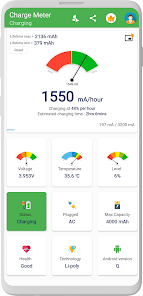
Charge Meter is a battery monitoring tool for Android devices, helping users check parameters related to charging processes and energy consumption rates. This application can measure electric current in mA, estimate actual battery capacity in mAh, and track battery temperature and remaining time before full charge or depletion.
About Charge Meter
With Charge Meter, users can observe charging status in real-time, rather than relying solely on battery percentage. Current data measured in mA provides additional information to assess charging speed when using different chargers and USB cables.
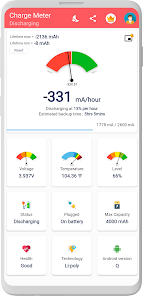
The application provides information about battery consumption levels and discharge rates, which is crucial data if you want to identify which apps are using the most energy or check battery performance in various situations.
Measuring Charging Current and Battery Capacity
The main function of Charge Meter is to display electric current when the device is connected to a power source. Users can compare charging speed between different chargers and cables through this parameter. The application also supports calculating actual battery capacity in mAh, helping evaluate the device's energy storage capability.
However, charging current may vary depending on the charger type, cable, phone model, screen brightness, Wi-Fi, GPS, background apps, and battery condition. When the battery is nearly full, current may decrease significantly, so it's not advisable to rely on a single measurement to assess charger quality.
Monitoring Temperature and Energy Consumption
Charge Meter not only tracks charging but also displays battery temperature, discharge rate, and energy consumption by individual apps. This helps users observe battery status while gaming, watching videos, using social media, or leaving the phone running continuously.
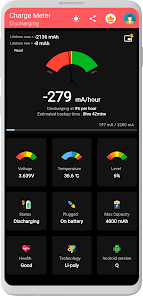
The application can also estimate remaining time before the battery is fully charged or depleted, though this data is for reference only as actual duration may vary depending on usage patterns and running tasks.
Tips for Using and Guide to Charge Meter
When testing chargers, perform measurements under similar conditions to ensure comparison results are meaningful. You can keep battery levels equal, disable some background apps, and adjust screen settings to similar states. Then sequentially change chargers or cables to observe the displayed current.
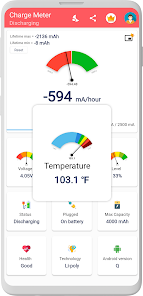
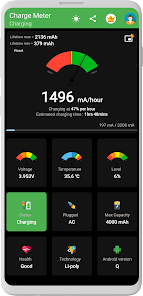
If you want to monitor battery daily, combine checking temperature and energy consumption levels instead of focusing only on charging current. The Premium version adds Dark Mode, Picture-in-Picture mode, home screen widget, and removes ads.
Conclusion
Charge Meter is suitable for users who want to understand charging speed, battery capacity, temperature, and energy consumption on Android devices in greater depth. The mA and mAh parameters along with charging time and estimated usage duration will help you evaluate chargers, USB cables, and daily battery usage habits.







