ProCam X MOD APK 1.34 (Premium)
⬇ ดาวน์โหลด APK (9 MB)| เวอร์ชัน | 1.34 |
|---|---|
| ขนาด | 9 MB |
| อัปเดต | 1 ต.ค. 2569 |
| หมวดหมู่ | รูปภาพ & วิดีโอ |
| ต้องการ | Android 6.0 |
| ข้อมูล MOD | Premium |
| Google Play | com.intermedia.hd.camera.pro |
ฟีเจอร์ MOD
- Premium Version
ProCam X is a professional camera application designed exclusively for Android devices, giving users detailed control over photography settings instead of letting the phone handle everything automatically. The app supports adjusting exposure, white balance, ISO, manual focus, and shutter speed. Besides taking photos, ProCam X also allows recording high-definition videos, capturing burst shots, and recording time-lapse videos.
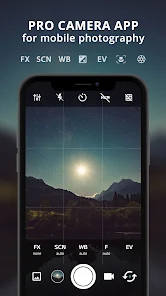
Direct Control Over Camera Settings
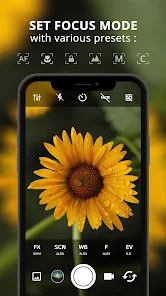
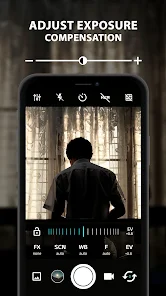
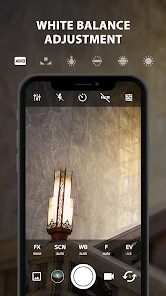
One of the standout features of ProCam X is the manual control interface integrated directly into the app. Users can customize or lock parameters such as exposure, white balance, and on supported devices, also adjust ISO, focus, and shutter speed. This feature is extremely useful when you want to proactively control lighting, focus areas, or motion effects instead of letting the phone decide.
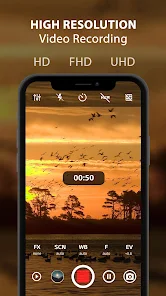
Modes like scene, focus, burst, and color effect are also integrated into the app. Users can enable framing grids, golden lines, stabilization, and real-time color filters. Additionally, volume keys can be configured to perform quick actions such as zooming or adjusting exposure compensation.
ISO, Shutter Speed, and Manual Focus
ProCam X is especially suitable for situations requiring precise lighting control. On devices supporting Camera2 API, users can manually adjust ISO, while shutter speed helps control the duration the sensor receives light. Manual focus is also very useful when shooting subjects at a fixed distance or when you want to select the focus area as desired.
The app supports saving photos in RAW/DNG format on compatible devices. This is an ideal choice if you want to edit photos professionally later, because RAW data usually contains more information than JPEG, making the process of adjusting light, color, and white balance much easier.
Burst Shots, Time-Lapse, and 4K Video Recording
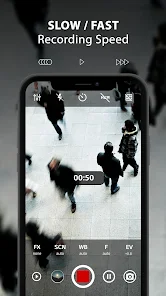
Besides standard photo shooting, ProCam X also offers Burst Mode and Intervalometer. The timer mode allows creating a sequence of photos for time-lapse or stop-motion, while burst helps capture multiple consecutive frames during fast-moving moments. The app also supports customizing video bitrate and 4K recording on compatible hardware devices.
Users can use the timer with flexible delay times, auto-repeat, lock portrait or landscape shooting orientation, support for certain external microphones, and add date, time, coordinates, or custom text onto photos. GPS geotagging is an optional feature and can be enabled when you want to save your location along with photos or videos.
Tips and Guide for Using ProCam X
When getting started with ProCam X, you should not change all parameters at once. Try locking the exposure first, then get familiar with ISO and white balance. Once you understand how these two parameters affect your photos, you can move on to manual focus and shutter speed to control more complex situations.
When shooting at night, a slow shutter speed can help capture more light but is prone to shaking if holding the phone by hand. In this case, it is recommended to secure your phone or use a tripod. When shooting moving subjects, a faster shutter speed will help reduce motion blur, but you need to consider ISO and lighting conditions to avoid photos that are too dark.
It should be noted that manual features such as ISO, focus, and shutter speed depend on the Camera2 API capabilities of each device. Google Play also clearly states that these features only work on devices supported by the manufacturer. The current version is updated to support Android 15 and above.
Regarding data, Google Play states that the app does not share data with third parties but may collect location, app activity, and some other data types. Data is encrypted in transit; this declared information may change over time.
Conclusion
ProCam X provides various camera adjustment options, giving users higher control when capturing images and videos on the Android platform. The app supports features such as ISO, shutter speed, manual focus control, white balance, exposure, as well as advanced functions like RAW, burst shooting, time-lapse, real-time filters, and 4K video recording on supported devices. However, the actual performance of these features still depends on the camera hardware capabilities and Camera2 API support of the device.