| バージョン | 3.0.19 |
|---|---|
| サイズ | 15 MB |
| 更新日 | 2026年10月1日 |
| カテゴリ | 写真&ビデオ |
| 必要環境 | Android 7.0 |
| MOD 情報 | Premium |
| Google Play | de.herber_edevelopment.m3uiptv |
MOD 機能
- Premium.
M3U IPTV is a live streaming application for IPTV content, designed for Android and Android TV. Users can customize their channel lists using M3U, M3U8, or Xtream Codes accounts. The app does not include pre-loaded channels or content; therefore, users need to use a legal playlist from their service provider.
Introduction to M3U IPTV
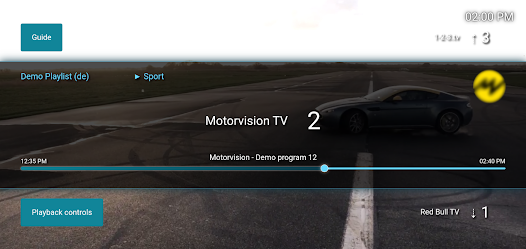
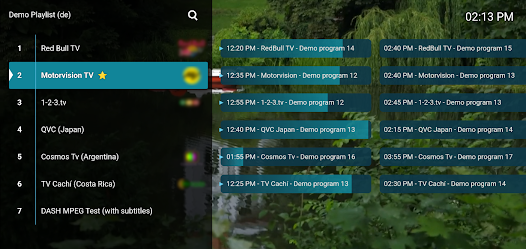
M3U IPTV features a user-friendly interface optimized for both mobile devices and large screens. After installing a playlist, users can categorize channels for easier navigation. The app also supports displaying the TV schedule if the IPTV source provides compatible data.
Support for M3U and M3U8 formats provides users with flexibility when importing sources. Playlists can be added via direct links or stored files on the device. With Xtream Codes, users need to enter the server information, username, and password provided by their provider.
Playlist and Channel Management
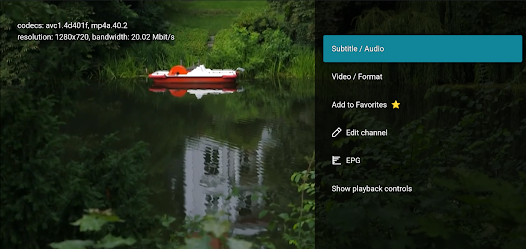
M3U IPTV allows users to manage multiple sources and switch between lists as needed. Favorite channels can be saved for quick access, and the fast channel switching feature saves time while live streaming.
The EPG (Electronic Program Guide) feature is a significant benefit if the playlist supports program data. Users can view not only the channel name but also check the schedule and upcoming content. Some playlists also integrate replay or archive capabilities, but this depends on the source provider.
Watching IPTV on Android TV
On Android TV or TV Boxes, M3U IPTV is optimized for use with a remote control. The larger interface makes it easier for users to navigate, select channel groups, view programs, and access favorites more conveniently than on a phone interface.
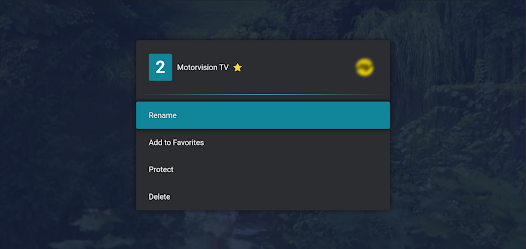
The app also provides various interface options with light, dark, and different accent colors. Users can adjust these settings to match their TV viewing environment or phone screen.
Tips and M3U IPTV Guide
To get started, users need to prepare a legal M3U or M3U8 playlist from an IPTV provider. Open M3U IPTV, select the playlist addition method, then enter the URL or choose a saved M3U file on the device. If using Xtream Codes, enter the server information, username, and password provided accurately.
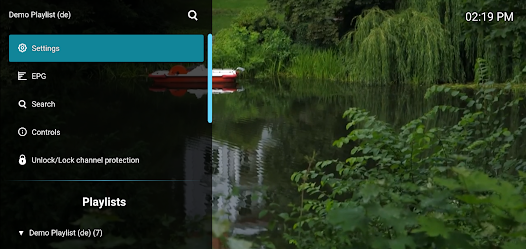
If the list contains many channels, it's recommended to use groups and favorites to shorten search time. When the EPG doesn't display, check if the provider supports program guide data. If the video doesn't play, the cause may be the playlist, IPTV server, stream format, or network connection, and not necessarily the app.
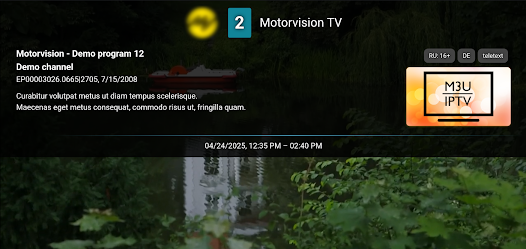
Most importantly, M3U IPTV is just a player and does not provide content itself. Users should use playlists and services they have access to, avoiding using sources of unknown origin or violating copyright.
Conclusion
M3U IPTV offers a simple solution for streaming IPTV on Android and Android TV through personal playlists. Support for M3U, M3U8, Xtream Codes, EPG, favorite channels, and remote control helps the app meet various online TV viewing needs. Providing your own content sources also allows users to proactively choose services that align with their usage rights.