| نسخه | 4.1.7 |
|---|---|
| حجم | 34.8 MB |
| بهروزرسانی | ۱۲ مهر ۱۴۰۵ |
| دستهبندی | عکس و ویدیو |
| نیازمندی | Android 5.0 + |
| اطلاعات MOD | MOD Pro |
| Google Play | com.accarunit.motionvideoeditor |
ویژگیهای MOD
- Pro features have been unlocked.
With the Motion Ninja tool, you can easily control every detail of motion in your footage, providing a highly flexible video editing experience. The app offers a full range of features from basic to advanced, allowing you to unleash your creativity and produce unique masterpieces.
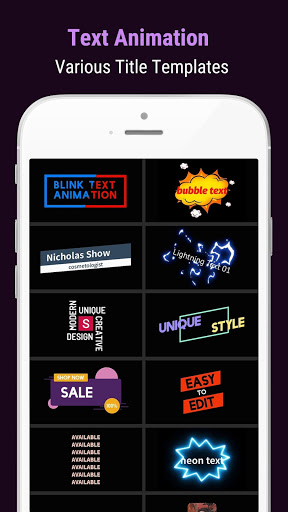
Motion Ninja (MOD Pro) – Top-Tier Video Editor & Animation Maker
The Motion Ninja app scores points thanks to its intuitive interface and scientifically arranged toolbars. Users can easily insert any video clip or image into separate layers. From there, you are free to cut, merge, and add many vivid details to create engaging videos.
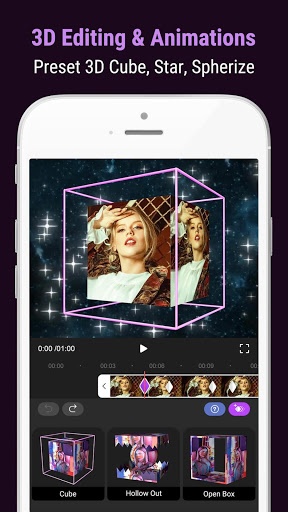
Library of effects and color filters
Boasting a rich system of effects and filters, Motion Ninja helps your videos quickly capture viewers' attention. You can freely choose suitable filters to bring a fresh look and elevate the quality of your work. Additionally, stacking multiple layers of details onto a single video is very easy.
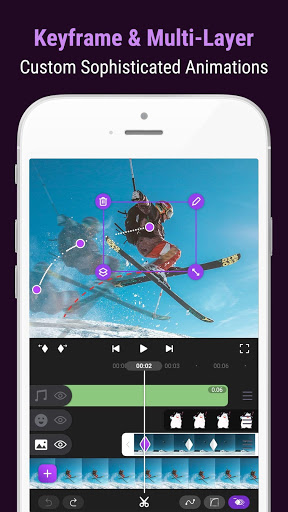
Create smooth motion with Keyframe
Users can insert Keyframes into videos to adjust the motion of individual details while preserving all attribute parameters. This keyframe utility provides superior convenience, making the video editing experience even more exciting. You can freely create videos on any layer accompanied by flexible motion effects.
Green screen feature
Not just an excellent motion editing tool, Motion Ninja also integrates a highly useful green screen feature. You can easily overlay any object or motion graphic onto your footage by selecting the green screen area and activating the compositing tool.
What's new in this version?
- All Pro features unlocked.