| نسخه | 12.309 |
|---|---|
| حجم | 31 MB |
| بهروزرسانی | ۹ مهر ۱۴۰۵ |
| دستهبندی | عکس و ویدیو |
| نیازمندی | Android 7.1 |
| اطلاعات MOD | Premium |
| Google Play | com.castify |
ویژگیهای MOD
- Premium Version.
Cast to TV is a powerful tool that helps you stream videos, music, and photos from your Android device directly to your TV or compatible streaming systems. The Castify app easily pairs with Chromecast, Roku, Fire TV, Google Cast receivers, DLNA, and many Smart TV models with built-in technology. This allows you to comfortably enjoy content from your smartphone on a big screen without manually copying files to your TV.
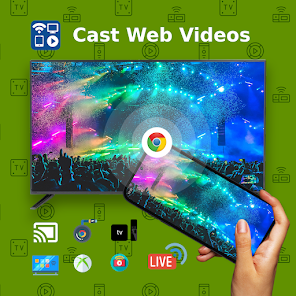
Introduction to Cast to TV
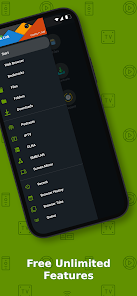
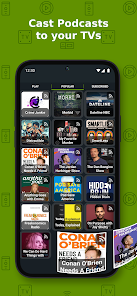
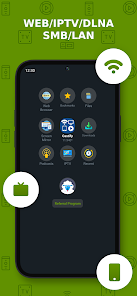
The standout advantage of Cast to TV lies in its diverse source compatibility. You can freely choose video files, songs, or photos stored on your device, or browse the web using the built-in browser to cast matching content to the large screen. In addition, the app supports IPTV, podcasts, DLNA servers, and local network shared folders such as SMB, Samba, NAS, or LAN.
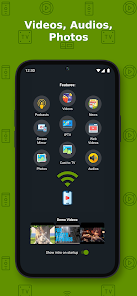
Connection efficiency depends on the receiving device. The app works well with Chromecast, Roku, Fire TV, Xbox, DLNA, and Google Cast, while also supporting a wide range of Smart TVs from Samsung, LG, Sony Bravia, Panasonic, TCL, and many other brands equipped with compatible receivers. Castify also notes that the actual experience may vary across platforms, with the highest level of optimization on Roku and Google Chromecast.
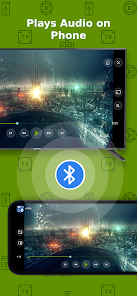
Stream videos, songs, and photos directly to your TV
Thanks to Cast to TV, you only need to select content on your phone and designate the receiving device to broadcast it instantly to the TV screen. Video or music files stored in device memory are streamed directly, while online web videos can be played smoothly via the integrated browser if the source page uses compatible public formats.
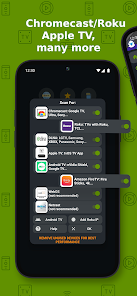
This utility also provides subtitles on certain device models, a Universal Remote control feature for compatible platforms, Picture-in-Picture mode, and Screen Mirroring. If you use IPTV, you can easily load M3U-format playlists to enjoy your favorite channels. According to Castify, the app only acts as a signal relay to the receiver and does not store or edit videos, so projection performance still depends on the website and the original file format.
Guide and tips for using Cast to TV effectively
To set up Cast to TV, the first step is to ensure that both your phone and TV or streaming device are connected to the same Wi-Fi network. Next, launch the app, scan for, and select the device you want to link. As soon as the pairing process is complete, you can freely choose any video, image, or music track on your phone to cast to the TV.
In case you want to cast online videos, use the app's built-in browser to access the website and stream compatible content. If you encounter issues with videos failing to load or signal interruptions, check your Wi-Fi connection and try restarting both your phone and the receiving device. The Google Play listing also notes that network stability, website servers, and video formats all directly impact the streaming process.
When experiencing IPTV or live streams, you need to make sure you have valid access rights to that source. Furthermore, some specific or proprietary video formats may not be supported for playback through the app. For TV models with built-in Chromecast or DLNA, you should consult the manufacturer's documentation to choose the most accurate pairing method.
Conclusion
Cast to TV offers an extremely convenient solution for projecting images, music, and videos from your smartphone to your TV or streaming receivers. Its rich support for media sources alongside Chromecast, Roku, Fire TV, DLNA, Google Cast, and various Smart TV models helps the app fully meet your home entertainment needs. If you frequently watch content on your phone but want to enjoy it on a big screen, this is definitely a tool worth experiencing at ApkUnlimit.