
JEE NEET Prep Study Planner MOD APK 2.0.1 (Premium)
⬇ Download APK (23 MB)| Version | 2.0.1 |
|---|---|
| Size | 23 MB |
| Updated | Oct 1, 2026 |
| Category | Education |
| Requires | Android 7.0 |
| MOD info | Premium |
| Google Play | com.archit.jeeandneettracker |
MOD features
- Premium
JEE NEET is a study planning and monitoring app designed to help students prepare for the JEE Main, JEE Advanced, and NEET UG exams. Rather than providing lecture content, the app focuses on helping users manage their syllabus, break down tasks, and maintain a consistent study schedule. According to Google Play data, it integrates a study progress tracker, a Pomodoro timer, a daily schedule planner, and performance analytics.
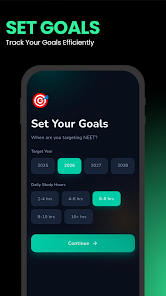
Overview of JEE NEET
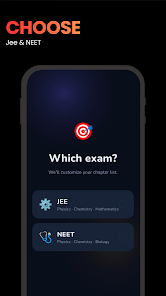
The highlight of JEE NEET is its ability to turn exam preparation into a clear, step-by-step actionable plan. The app targets 11th-grade, 12th-grade, and repeater students, with content organized into Physics, Chemistry, Mathematics, and Biology. Users can mark the status of each chapter to track what has been completed, what needs revision, or what requires more practice.
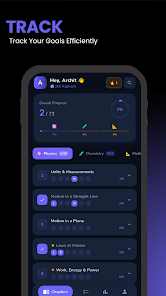
Syllabus Tracking and Section-by-Section Progress
The chapter tracking system in JEE NEET helps divide the preparation process into multiple stages. A chapter can be tagged with statuses such as studied, notes made, revised, previous years' questions practiced, and tested. This organization allows learners to easily see the exact status of each section rather than relying on the vague feeling that they have finished a subject.
The app also supports daily study scheduling. Users can set goals based on their exam date and available study hours, then generate specific daily tasks. A streak system helps track consistency, while an exam countdown timer clearly displays the remaining time for the plan.
Pomodoro and Study Time Analytics
Another key feature of JEE NEET is the Pomodoro timer. The app provides a default 25-minute focus session with short breaks, which can be customized to fit personal habits. Each study session can be logged so users can track their total focus time by day and across different stages of preparation.
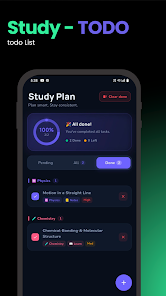
Study progress tracking table by subject and activity history. Users can check how their time is allocated for Physics, Chemistry, Mathematics, or Biology, while also identifying any inconsistent study periods. The app also supports account login and data synchronization, helping maintain tracking continuity when using multiple devices.
Tips and guide for JEE NEET
To optimize your studying with JEE NEET, it is recommended to break down study content into specific goals rather than trying to cover too many chapters in a single day. After finishing a chapter, update its status and only move on to the next part once you have genuinely completed it.
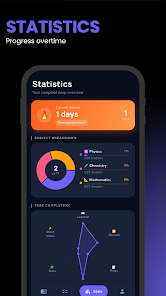
With Pomodoro, users can start with 25-minute sessions if they struggle with concentration. Each session should focus on a clear task, such as completing theory, solving exercises, or reviewing notes. After a few sessions, check your work history to see the actual total study time instead of just relying on the hours spent sitting at your desk.
Conclusion
JEE NEET is designed to support exam preparation management rather than replace all study materials. Features like chapter tracker, daily study plan, Pomodoro, PYQ tracking, streak, and progress analysis table create a clear system helping users understand where they stand in their preparation process. If you are preparing for JEE Main, JEE Advanced, or NEET UG and want to manage your study time and content on your phone, this is a tool that easily integrates with your books, courses, and practice test materials.