GreenTuber Chặn quảng cáo MOD APK 0.1.9.9 (Premium)
⬇ Download APK (31 MB)| Version | 0.1.9.9 |
|---|---|
| Size | 31 MB |
| Updated | Oct 1, 2026 |
| Category | Entertainment |
| Requires | Android 6.0 |
| MOD info | Premium |
| Google Play | by.green.tuber |
MOD features
- Premium.
GreenTuber is an Android app designed to help you watch videos with an interface focused on a seamless playback experience. The app includes ad and pop-up blocking, and also lets you play videos in the background or in a floating window. According to Google Play data, GreenTuber has surpassed 10 million downloads and was last updated in September 2026.
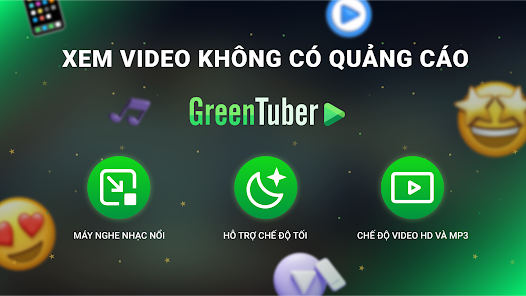
GreenTuber overview
GreenTuber is built for users who frequently watch videos on Android devices but want to remove distractions during playback. The app combines a content player with ad and pop-up handling, helping you stay more focused on what you're watching.
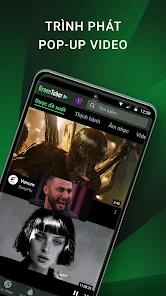
Another standout feature is the ability to keep playing video when you switch to another app. This is especially useful when you want to listen to content while texting, reading email, or doing other tasks on your phone. GreenTuber also supports a floating-window player mode, letting you watch video while using the rest of the screen.
Watch videos with a flexible player
GreenTuber offers multiple display options when watching videos. You can choose between full-screen mode or switch to a floating window as needed. Background playback also helps you keep listening when the screen or app is being used for something else.
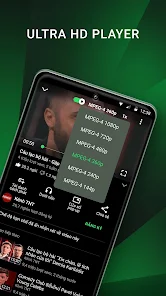
The app supports selecting video resolution from as low as 144p up to 8K, depending on the content and your connection quality. Choosing a lower resolution can be helpful when your network is unstable or you want to save mobile data.
Ad blocking and a smoother experience
One of GreenTuber's standout features is its built-in ad blocker. According to its Google Play description, the app aims to block video ads and pop-ups during playback, reducing interruptions while you enjoy content.
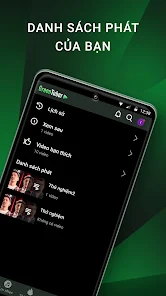
Google Play also notes that the app contains ads and offers in-app purchases. The Data Safety section currently states that GreenTuber may share certain types of data with third parties and collect location, personal information, and some other data; data is encrypted in transit, and users can request data deletion. Because of this, it's worth reviewing permissions and the data policy before using it regularly.
GreenTuber tips and guide
When using GreenTuber, start by adjusting video resolution based on your network quality. If you're on a stable Wi-Fi connection, you can choose a higher resolution for sharper image quality. On mobile data, lower the quality when you need to save data.

Floating-window mode is great when you want to watch video while doing other things. If you're mainly listening to content, try background playback to reduce the need to keep the app on screen. If videos load slowly or won't play, try switching networks, lowering the resolution, or restarting the app.
For copyrighted content, you should still follow the platform's terms and respect the rights of content owners. The app's technical features don't mean that all content is permitted to be copied or reused.
Conclusion
GreenTuber focuses on delivering a more convenient video-watching experience on Android with an ad blocker, background playback, floating window, and multiple resolution options. These features can be useful for people who frequently watch videos or listen to content while using other apps. However, you should pay attention to privacy, app data, and copyright terms for long-term use.