
| Version | 2.6.3 |
|---|---|
| Size | 25 MB |
| Updated | Oct 1, 2026 |
| Category | Games |
| Requires | Android 7.0 |
| MOD info | Premium |
| Google Play | com.ksxkq.autoclick |
MOD features
- Premium.
Auto Clicker is an Android app that automatically performs repeated tap actions on the screen. The app lets users define touch positions, intervals between taps, and also supports swipes, long presses, and recording action sequences. No root required and compatible with devices running Android 7.0 and above.
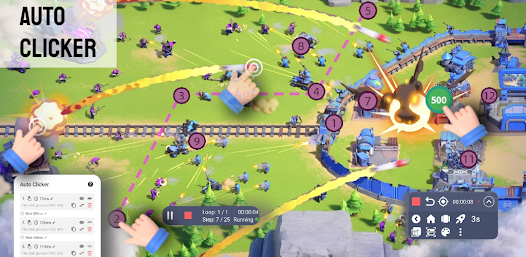
Auto Clicker supports automated screen tapping
Instead of manually tapping the same spot many times, Auto Clicker can perform actions at pre-set intervals. This feature is ideal for repetitive tasks such as UI testing, simple in-app actions, or tasks that require multiple taps.
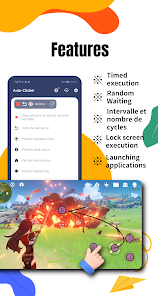
The app has an intuitive setup interface and doesn't require users to write scripts. You can easily set tap points, adjust speed, and build action sequences to suit your needs. In addition to tapping, the app also supports swipe and long-press gestures.
Create automated action sequences
With Auto Clicker, users can create multiple tap points and arrange them into an action sequence. The timing between actions can be adjusted to suit each specific situation. The action recording feature makes setting up automated tasks much easier.
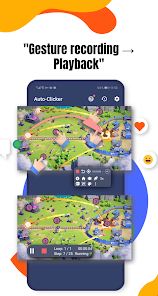
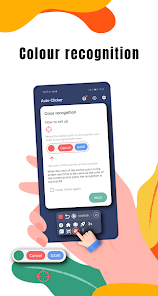
The app also supports timer functions, auto swipe, image recognition, and text recognition. As a result, automation isn't limited to a single fixed tap point but can be extended to more complex workflows.
Use Auto Clicker safely and effectively
To function, Auto Clicker uses Accessibility Service and requires users to grant accessibility access. This is an important permission because the app needs the ability to perform actions on the screen on the user's behalf.

When setting up, start with a slow speed and increase it gradually if the actions work accurately. Setting intervals too short may cause some apps to fail to respond in time or skip actions. Also, turn off automated tasks when not in use to avoid unintended taps.
Tips and guide for using Auto Clicker
First, open Auto Clicker and grant Accessibility Service permission if your device requires it. Then create a new task, place tap points on the screen, and set the interval between each action. For multi-step tasks, test each action before running the entire sequence.
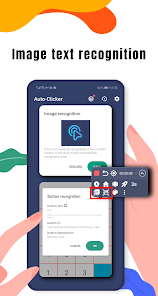
If using image or text recognition, make sure the content on the screen is clear and doesn't change position much. If actions are inaccurate, recheck the coordinates, tap speed, and display conditions of the app being automated.
The app currently contains ads and in-app purchases. Data safety information on Google Play states that the developer declares no data shared with third parties, the app may collect device or other identifiers, and data is encrypted in transit.
Conclusion
Auto Clicker is a useful tool for Android tasks that require repeating many tap actions. With the ability to set tap points, swipes, long presses, record action sequences, timers, plus image and text recognition, the app offers many options for automating on-screen actions. Users should set a reasonable speed and carefully check Accessibility Service permission before use.