

GameGuardian 101.1 APK 101.1
⬇ APK herunterladen (20 MB)| Version | 101.1 |
|---|---|
| Größe | 20 MB |
| Aktualisiert | 3. Okt. 2026 |
| Kategorie | Tools |
| Benötigt | Android 2.3.3 + |
Game Guardian is currently the most popular game MOD application, offering many powerful features that help users customize currency values and scores in various games.
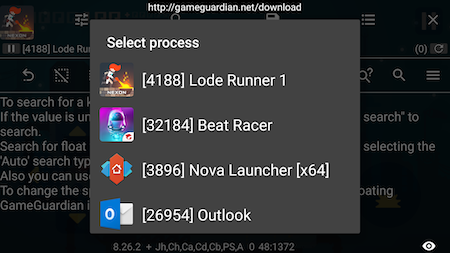
Download Game Guardian – A convenient game MOD tool for Android
Game Guardian for Android works on Android devices from version 2.3 and up, supporting ARM, x64, and x86 architectures. This application allows players to adjust game speed, increase gold, or change desired stats. Users can customize currency values to play games and purchase items more easily.

GameGuardian for Android integrates smart search capabilities, supporting the identification of unknown values by comparing differences. Users can modify search results simultaneously, filter results, and more. However, the application can only mod simple games and requires a rooted device. It is currently the most popular game MOD software available.
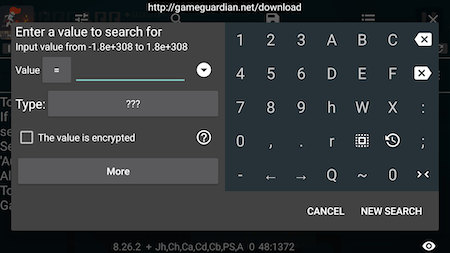
Key Features of Game Guardian
- Search for values in games
- Customize game stats
- Change in-game currency values
- Supports both online and offline games
- Runs on rooted Android devices
Features updated by the developer
- Works on many ARM, x64, x86 devices, including emulators (LDPlayer, Droid4X, MOMO, KOPlayer, Andy, Memu, Leapdroid, AMIDuOS, Windroye, RemixOS, PhoenixOS, AVD, Genymotion, Nox, BlueStacks…)
- Supports Android operating systems from 2.3.3 (Gingerbread) to Lollipop (5+), Marshmallow (6+), Nougat (7+), Oreo (8+), Pie (9+), 10+
- Runs without root via a separate virtual space.
- Supports many emulators such as PPSSPP, ePSXe, GameBoy…
- Speed up or slow down games for ARM and x86, including x86 emulators. Supports 32-bit and 64-bit applications on 64-bit devices.
- Search feature: encrypted values.
- Search for unknown values when identifying differences.
- Find addresses by mask.
- Search for exact and fuzzy numbers.
- Search for text strings (String, Hex, AoB).
- Supports search data types: Double, Float, Qword, Dword, XOR, Word, Byte, or Auto.
- Supports Lua scripts.
- Edit all search results at once.
- Filter search results (address greater than/not greater than, value greater than/not greater than).
- Background search feature.
- Value filling feature.
- Time jump feature.
- Export memory data.
- Copy memory data.
- Flexible interface customization.
- Multi-language support for over 50 languages.
- Many other outstanding features.
Guide to installing Game Guardian on non-ROOT devices
- First, you need to download VirtualXposed and Game Guardian to your phone (download links below)
- Then install both applications, open VirtualXposed, and select 'AddApp' to add Game Guardian. Note: You must grant all permissions for the app to function. Once installation is complete, you can run additional games within VirtualXposed to MOD them with Game Guardian.







