

| Version | 8.32.0-0 |
|---|---|
| Größe | 122 MB |
| Aktualisiert | 1. Okt. 2026 |
| Kategorie | Tools |
| Benötigt | Android 8.0 |
| MOD-Info | Premium |
| Google Play | com.fitbod.fitbod |
MOD-Funktionen
- Premium
Fitbod is an app that helps users build gym workout plans and track their progress on their mobile devices. The app focuses on suggesting exercises based on user goals, workout history, and equipment available, making each workout more structured.
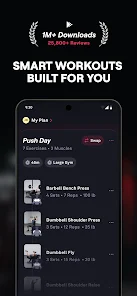
Introducing Fitbod
Instead of creating your own exercise lists daily, Fitbod can help generate personalized workouts based on the information you provide. You can choose your goals, muscle groups, and available gym equipment for a plan that better suits your actual conditions.
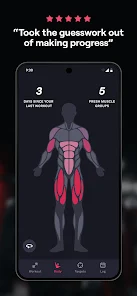
During workouts, users can record sets, reps, and weight for each exercise. This data helps the app analyze and build subsequent workouts, while also helping you track your progress over time.
Personalized Workouts and Muscle Groups
A standout feature of Fitbod is its ability to adjust workouts based on your workout history and muscle group recovery levels. If a muscle group has just been worked intensely, the next plan may prioritize other groups to balance the workout.
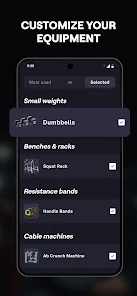
Users can also select equipment appropriate for their gym. This is useful when you want to build a program using machines, dumbbells, or other equipment that you can actually access. However, suggestions from the app should still be adjusted based on your physical condition and actual training experience.
Track Progress and Workout Performance
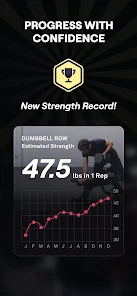
With Fitbod, recording results after each workout makes it easier to track changes in weight, reps, and workout volume. Historical data can also help users identify exercises that are progressing or muscle groups that are not receiving enough attention.
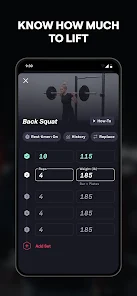
To track progress accurately, you should record results consistently. It's not necessary to increase the weight at every workout; technique, range of motion, and the ability to complete the required reps are also important factors when evaluating workout effectiveness.
Fitbod Usage Tips and Instructions
When you start using Fitbod, enter the equipment you can use and your workout goals accurately. After each workout, update the weight and reps fully so that the app's data reflects your actual training process.
If an exercise causes unusual pain or is not suitable for your current ability, you should not force yourself to do it just because it's in the plan. Prioritize technique, warm-up thoroughly, and adjust exercises as needed. The app can help with planning but does not replace direct guidance from a trainer or expert when you have specific issues.
Conclusion
Fitbod is a useful tool for those who want to organize gym workouts and track progress on their phones. The ability to personalize workouts based on goals, equipment, and workout history makes the training process more directed. When combined with proper technique and adequate rest, users can build a more scientific and consistent workout routine.







