

| الإصدار | 4.1.1 |
|---|---|
| الحجم | 28 MB |
| تاريخ التحديث | 1 أكتوبر 2026 |
| التصنيف | أدوات |
| يتطلب | Android 5.0 + |
| معلومات MOD | Unlocked |
ميزات MOD
- Unlocked.
App Manager is an Android application management software for users who want deeper control over installed applications on their devices. The current version is released through GitHub, supports Android operating systems from 5.0 and above, and provides numerous features to manage APK files, permissions, app data, system components, and backup capabilities.

Comprehensive Application Management
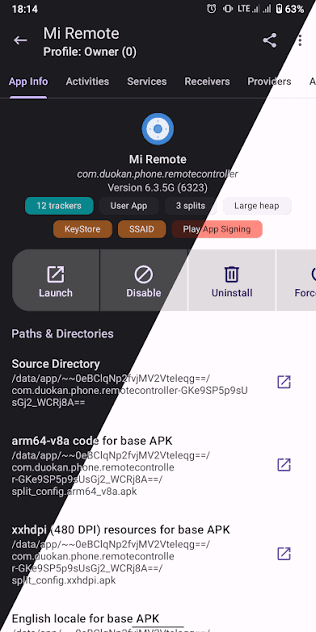
Unlike the default app manager on Android, App Manager provides more detailed information about each application. Users can view activities, broadcast receivers, services, providers, permissions, signatures, shared libraries, and app manifests. This tool also supports creating shortcuts for activities or directly launching certain components when needed.
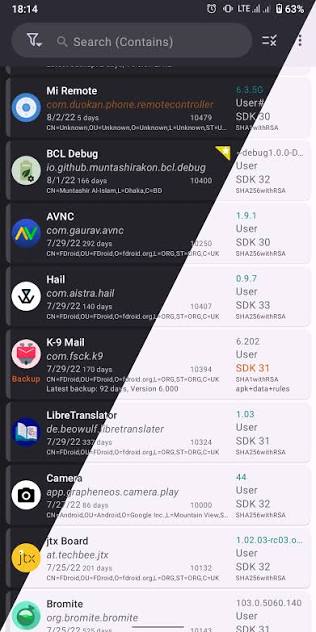
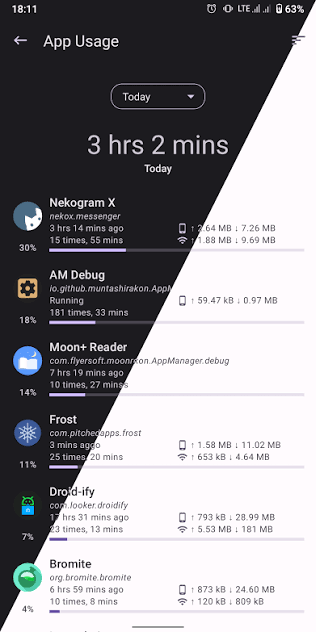
Detailed Application Analysis - The app also has the ability to check trackers and libraries used within the application, displaying data usage information and storage capacity. For those who frequently install APKs or want to explore Android app architecture in depth, this amount of information can be far more useful compared to the default management interface.
APK Management and App Backup
App Manager supports installing various application packages such as APK, APKS, and APKM, while also having the ability to handle XAPK with OBB files. Users can also share, backup, and restore applications, performing batch operations instead of handling each app individually.
Version 4.0.5 adds several improvements related to the installer, including an option to allow installation of existing system apps if sufficient permissions are met. The release also optimizes the Log Viewer and some other system operations.
Debloater, Logcat, and Advanced Tools
Alongside APK management, App Manager also integrates Debloater, Logcat viewer, file manager, code editor, and simple terminal. Some advanced features depend on the device's operating mode such as Root or ADB. Operations such as closing apps, clearing data, controlling permissions, changing network policies, or freezing apps may require higher privileges.
This makes the application more suitable for experienced Android users. If you only need to uninstall or clear regular cache, the built-in system tools may be simpler. Conversely, when you need to deeply inspect an app or manage multiple APKs, App Manager provides more options.
How to Use and Detailed Guide for App Manager
Before enabling advanced features, make sure you understand each option clearly. In particular, disabling or locking system applications can affect the core functionality of Android. For operations related to data and backup, it's advisable to create a backup copy before making changes to important applications.
When using the backup feature, you should choose a separate storage location and check files before restoring. Version 4.0.5 supports backup data encryption with multiple methods such as OpenPGP, RSA/ECC combined with AES, and AES, giving users additional options to protect their information.
Summary
App Manager is an Android application management tool for users who need higher control compared to the default manager. From viewing detailed information, managing APKs, backups, checking trackers to advanced tools like Debloater and Logcat, the app provides a rich set of features in a simple interface. However, features related to Root, ADB, or system applications should be used carefully to avoid affecting your device.







